

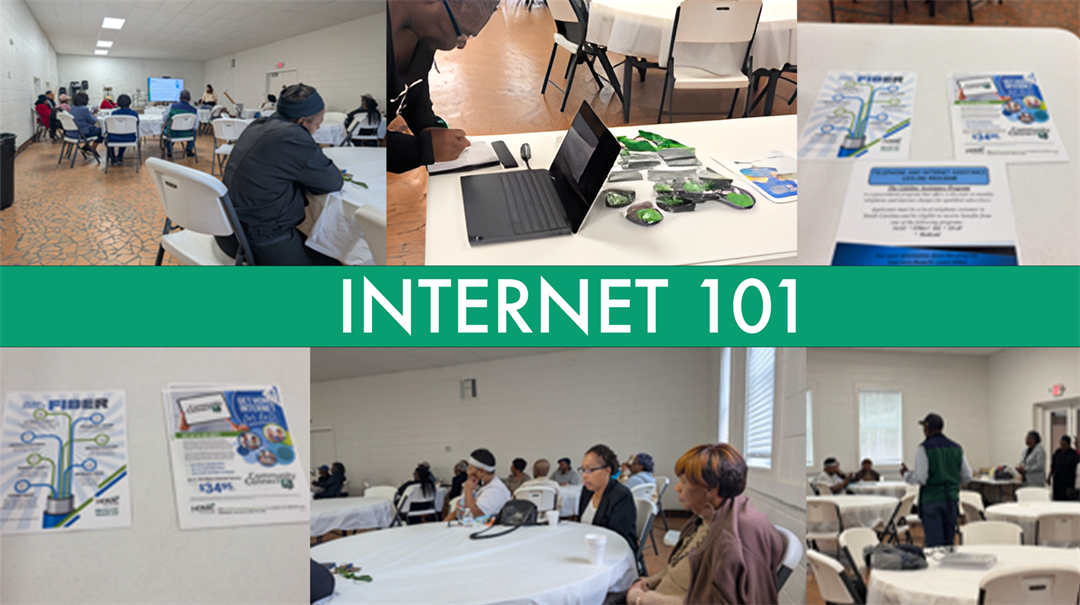
Home Telecom held a cybersecurity training event at the Tri-Community Center on October 29, 2025.
We went over best practices to stay safe online, common scams and fraud, ways to look for phishing schemes, spoofing, and how Home Telecom is protecting you with the layers of protection and the crucial importance of using strong passwords.
We also discussed how you might hear someone use the terms "internet" and "Wi-Fi" interchangeably. However, they are not the same, and in this blog post, our goal is not only to explain the difference between the two but also give you the information you need to make the best choice for your internet needs.
Understanding the Internet
Let's start with the basics. What exactly is the internet? The internet is a vast, global network of interconnected computers and servers. It’s the backbone of how many of us communicate, allowing us to access information with the tap of a screen or a click of a mouse and frankly – get our work done. When you send an email, watch a YouTube video or shop online, you're using the internet.
At Home Telecom, we take pride in bringing this global network to your home, ensuring fast, reliable internet access. We offer you a network that's multi-device-ready, delivers reduced load times and provides the high-speed plans you deserve.
What Is Wi-Fi?
Let's turn our attention to Wi-Fi. Wi-Fi, which stands for Wireless Fidelity, is a crucial part of your daily connectivity. It's the technology that enables wireless internet access. Instead of using physical cables to connect your devices to the internet, Wi-Fi lets you connect wirelessly.
At home or in a business, the device that creates this wireless network is the router. It broadcasts a signal that your devices can connect to, allowing them to access the internet without being physically connected to anything. The convenience of Wi-Fi makes it an essential part of our daily lives.
At Home Telecom, we take Wi-Fi to the next level with our FREE MyWiFi Xtreme Whole Home Wi-Fi solution. Learn more about the many benefits of MyWiFi Xtreme and how the app helps you easily manage your home network. With it, you can enjoy uninterrupted, high-speed Wi-Fi in every corner of your home. No more dead spots or frustrating slow connections. We are here to ensure that your Wi-Fi experience is top-notch.
Differences Between Internet and Wi-Fi
Now that we've defined both the internet and Wi-Fi, let's address the primary question: Are they the same? The answer is no, they are not the same, but they are closely interconnected.
Think of the internet as a massive highway, and your Wi-Fi as the on-ramp that allows you to access that highway. The internet is a global network, while Wi-Fi is a local wireless network that connects your devices to the internet.
When you use your smartphone, tablet or laptop to connect to the internet at home, you do so through your Wi-Fi network. However, your Wi-Fi relies on our internet connection. While distinct, they work together seamlessly to provide you with online access.
Choosing the Right Internet Connection
Now that we've clarified the relationship between the internet and Wi-Fi, let's talk about choosing the right internet connection for your needs. When selecting an internet plan, several factors come into play.
- Speed – Consider how fast you want your internet connection to be. Higher speeds are ideal for activities such as streaming high-definition videos and online gaming. Home Telecom's high-speed internet plans are designed for those who demand the best in speed and performance.
- Reliability – A reliable internet connection is crucial. You don't want frequent disruptions or slow performance. Our network is known for its reliability, keeping you connected when it matters most.
- Data Usage – Consider your data usage. If your household or business has multiple devices and users, you'll need a plan that can handle even more data demands. Home Telecom does not cap your data usage, so you can use the internet as needed at no additional cost.
Optimizing Your Wi-Fi Connection
A robust Wi-Fi connection is essential, especially in a world where multiple devices are connected simultaneously. Here are some tips to optimize your Wi-Fi network:
- Router Placement – Your router's placement matters. Position it centrally in your home or business to ensure the best coverage. You should also avoid placing your router in the kitchen because it can be affected by everyday appliances.
- Use Mesh Units – If you have a large home, consider using Mesh Units to improve signal coverage in hard-to-reach areas. These are also helpful in extending your coverage to your backyard or front porch.
- Security – Protect your Wi-Fi network with a strong password to prevent unauthorized access.
- Upgrade to MyWiFi Xtreme Whole Home Wi-Fi – For the ultimate Wi-Fi experience, this solution delivers a seamless, high-speed connection throughout your space. MyWiFi Xtreme also includes a free app that lets you prioritize devices, change your Wi-Fi password and more.
Home Telecom Focuses on Cybersecurity Training
At Home Telecom, we're here to ensure your internet and Wi-Fi experience is exceptional. We focus on providing our community with cybersecurity training to help them stay safe online. To learn more about how the internet works, watch our video series: Internet 101.
Stay local and stay connected with Home Telecom and watch for more in-person training opportunities in the future! Visit our community page and submit a request for an event.